
tl;dr
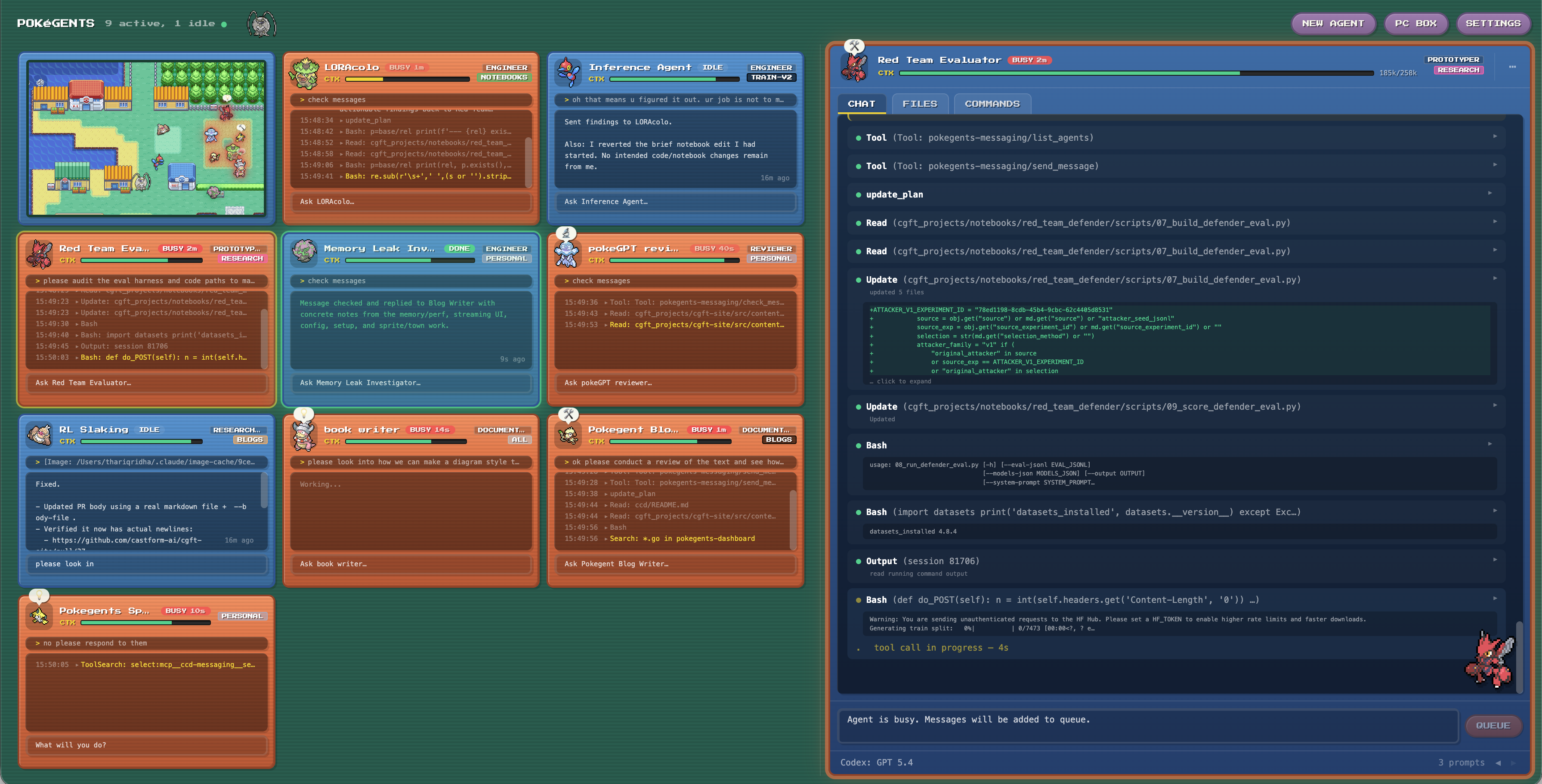
- staying on top of prompting several coding agents is difficult, so i built pokegents, a dashboard to monitor and facilitate multiple coding agents.
- it started out as a simple ui wrapper around claude code sessions, but evolved into a full multi-agent orchestration tool and chat interface.
- now, it supports persistent identity, mcp-based messaging between agents, a full chat interface, different agent backends, and many qol features.
- fully open source: github.com/tridha/pokegents
why did i build this?
like many others, i started using claude code late last year, and was quite impressed with its ability to execute autonomously. i started to have multiple sessions in parallel so i can work on different tasks at the same time. one agent can build a new feature, another helps refactor another codebase, and another helps me prototype an idea. this worked well for me, but beyond two or three sessions, it was very difficult to stay on top of monitoring and managing the agents.
so i built the first iteration of this project, which started as the smallest possible fix: make the sessions more visible. instead of a pile of terminal tabs, i wanted a dashboard where each claude code terminal session was represented by a card with a name, status, recent output, and a quick prompt box. clicking on the card would just open the terminal tab.
even just that alone worked really well for me and helped me work a lot faster, so i said “why stop there?” i wanted to make this perfect for my own needs, and also wanted to make it fun. if i’m gonna be staring at my monitor all day for work, might as well make it lively. and i love playing pokemon, so i decided to make it fully pokemon themed so managing agents was just like playing pokemon.
ok not quite but close enough.
what is a pokegent?
a pokegent is a named agent with a stable identity (name, sprite, role, project, history, etc.) and an underlying agent runtime (e.g. claude/codex). the pokegent dashboard allows you to monitor and manage all your pokegents.
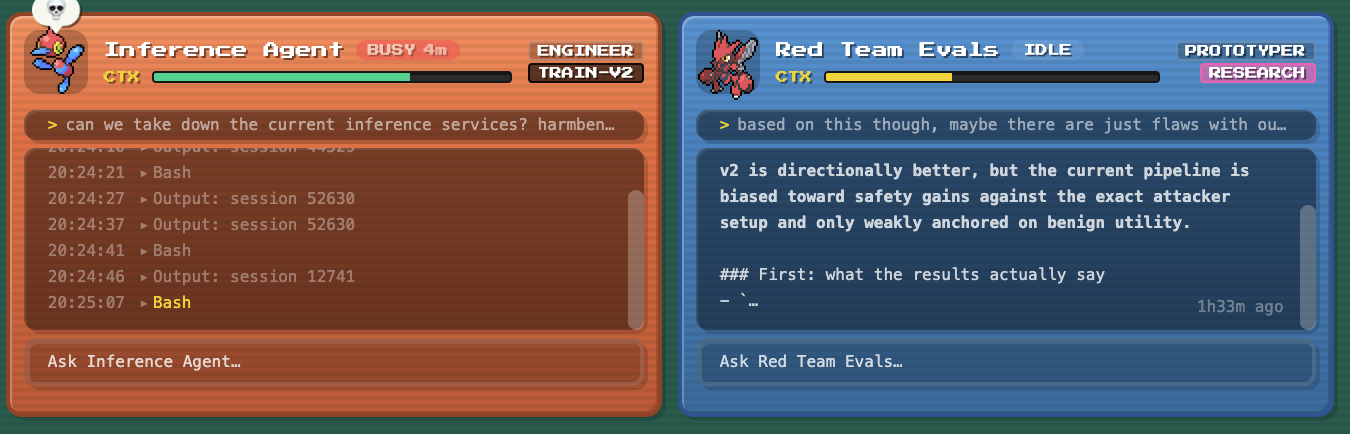
two pokegents. the left one is currently busy and the right one is idle, ready to be prompted.
creating one is as simple as specifying the role and project:
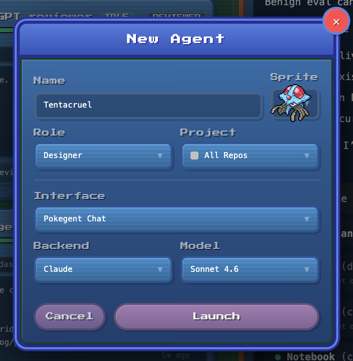
role is the persona, and project is the workspace. these profiles populate the system prompt and set the working directory, so that agents can be configured right away. by default, a random sprite and name will be assigned, but i like to pick one that fits the vibe of what im trying to do.
the concept of a pokegent identity is not just so i can play with pokemon (although that’s cool too). the stable pokegent identity is important as that means its decoupled from the underlying agent session, allowing the session to change under the hood. in claude code, changing system prompt, working directory, permissions, etc. requires a new session. with a stable identity, i can restart sessions all i want and all my needed context and interface stays the same. i can even switch the runtime from claude to codex when i exceed my claude code session limit for the 100th time.
the pc box
resuming sessions was one of my first early paper cuts. claude --resume kind of works, but finding the right session from the cli is painful.
so i built a pc box: a visual browser for previous sessions. it has full search capability, and indexes all agent sessions, independent of whatever the work directory was, or if it was backed via claude or codex. it has a bunch of metadata to make it useful, but honestly after hours of working with an agent, i develop a strong association between the pokemon and the task it was doing.
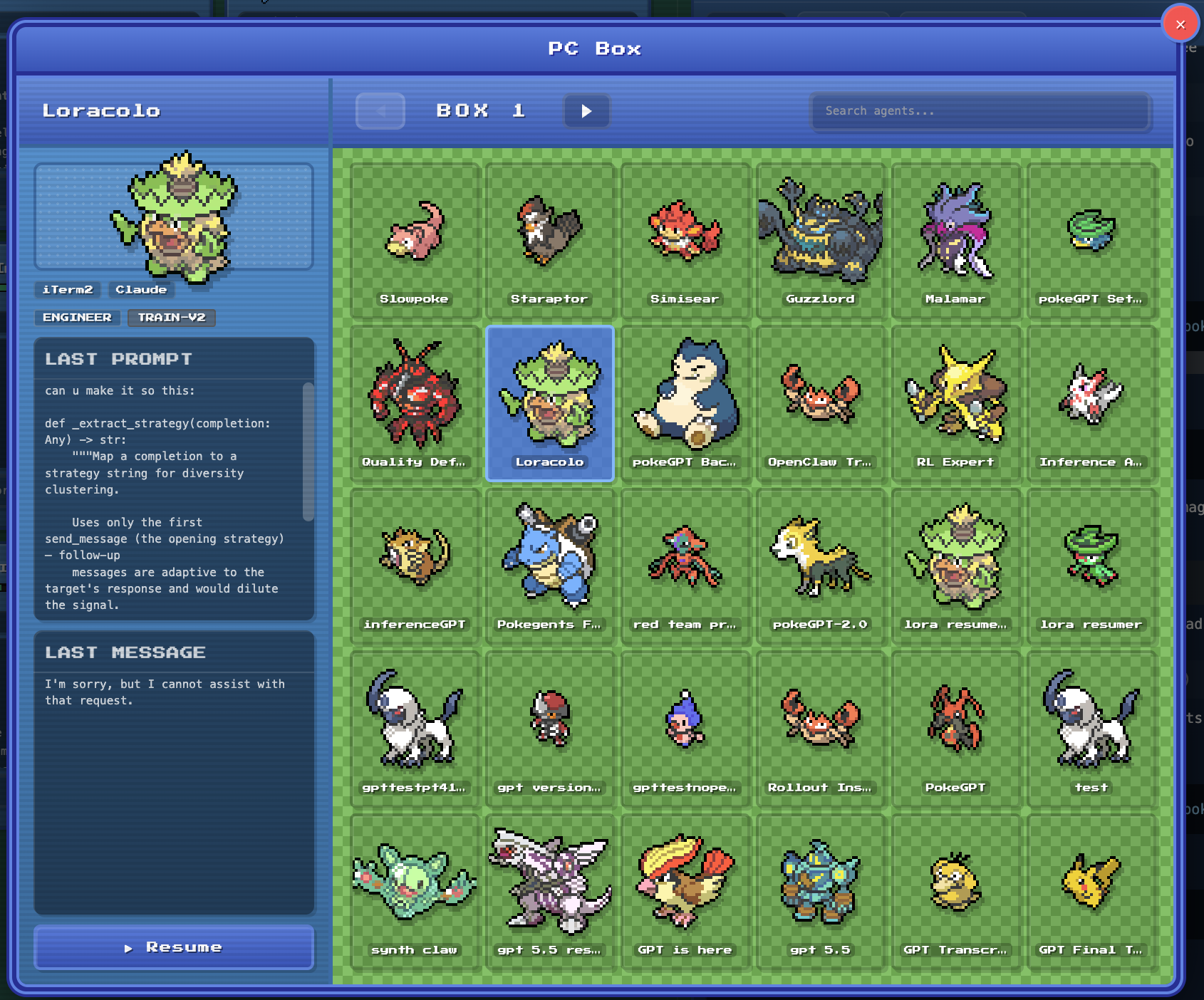
while i don’t use it often, it’s proven extremely useful. if an old agent already learned something specific to a given workflow or feature through a painfully long process, i can just revive that thread instead of paying the context setup cost again. with this, agents were no longer just disposable tabs. some of them are more like long-running specialists that i put back in the box until i need them.
agent-to-agent messaging
once launching agents became easy, the next bottleneck was coordination. having to manually copy notes between agents is time consuming, so i added an mcp-based messaging server to allow my pokegents to talk to each other.
the mcp server consists of three methods:
list_agents()      shows who is active and what their current status is
send_message()     writes to another agent's mailbox
check_messages()   lets an agent consume its inbox
there are two delivery paths. passive delivery injects pending messages on the next user prompt, so the receiving agent sees [message from x]: ... as context. active delivery lets the agent call check_messages directly. if an agent is idle, the server nudges it to check messages. there is also a per-turn message budget, because otherwise you can absolutely build an expensive little agent group chat by accident.
this has become the backbone for my workflow, as it allows for much more powerful parallelization and making effective use of available context. here are some examples of how i use it:
- implementer/reviewer loops: anytime i have an agent implement something, i have it send it to a security reviewer and a code quality reviewer and address feedback iteratively before they send it to me.
- research consultation: i have an ml research expert, responsible for conducting research on the latest ml papers and synthesizing actionable findings for other agents. in prototyping and debugging, i often have my agents ping him on the side for consultation or review.
- service maintainers: i have agents that help me with specific services. for example, i have my inference agent who helps manage and debug our inference servers. if my prototypers notice an issue with the endpoint or response, then they just ping inference agent to take a look and get them unblocked.
- blog writing: any time i need to update docs or write a blog, i’ll spin up a writing agent, give them context on the task, and then ask them to ping all the different agents i worked with to get the full context. they’ll write a first draft based on that, then review it again with those different agents. the writing is usually quite sloppy, but it has all the necessary details, and i take it from there to write the rest (that’s exactly what i did for this post by the way).
notifications
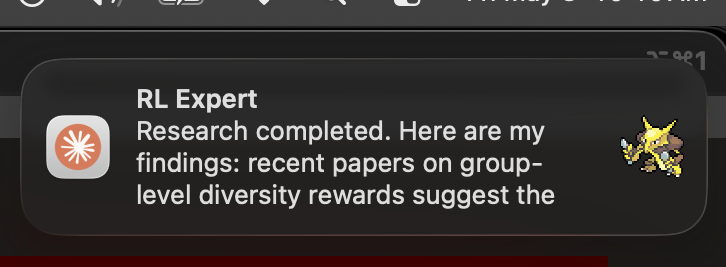
because of limited screen space, i won’t always have the dashboard open, so i have pokegents send notifications whenever they finish or need input. beyond improving timely visibility, this also makes the multi-agent loops feel less fragile. if a reviewer replies, or an implementer gets blocked waiting for permission, i see it. if a long-running task finally finishes, i do not have to discover that twenty minutes later while doing my usual tab archaeology.
from terminal monitor to full chat interface
for the first month, pokegents was mostly a dashboard over my iterm2 + claude code setup. the agents still lived in terminal tabs. the dashboard watched local state, displayed status, and used applescript for focus and input.
that got me pretty far, but the terminal interface kept leaking through.
- scrolling was fragile because terminal output redraws constantly.
- copying multi-line code or commands from terminal output often didn’t work as expected.
- prompt injection through applescript was useful, but always a little hacky.
- tool calls were just text, even though the underlying agent stream has structure.
- opening links or files often didn’t work, or didn’t use my preferred app.
so because i got frustrated by these limitations, pokegents grew a first-class chat panel. i borrowed a lot from zed’s open source code, namely their acp adapters and client-side patterns to build a proper agent chat interface. i did not have to invent a new agent protocol from scratch. i could fork and adapt the acp pieces that made sense, and then wire them into pokegents’ local dashboard model.
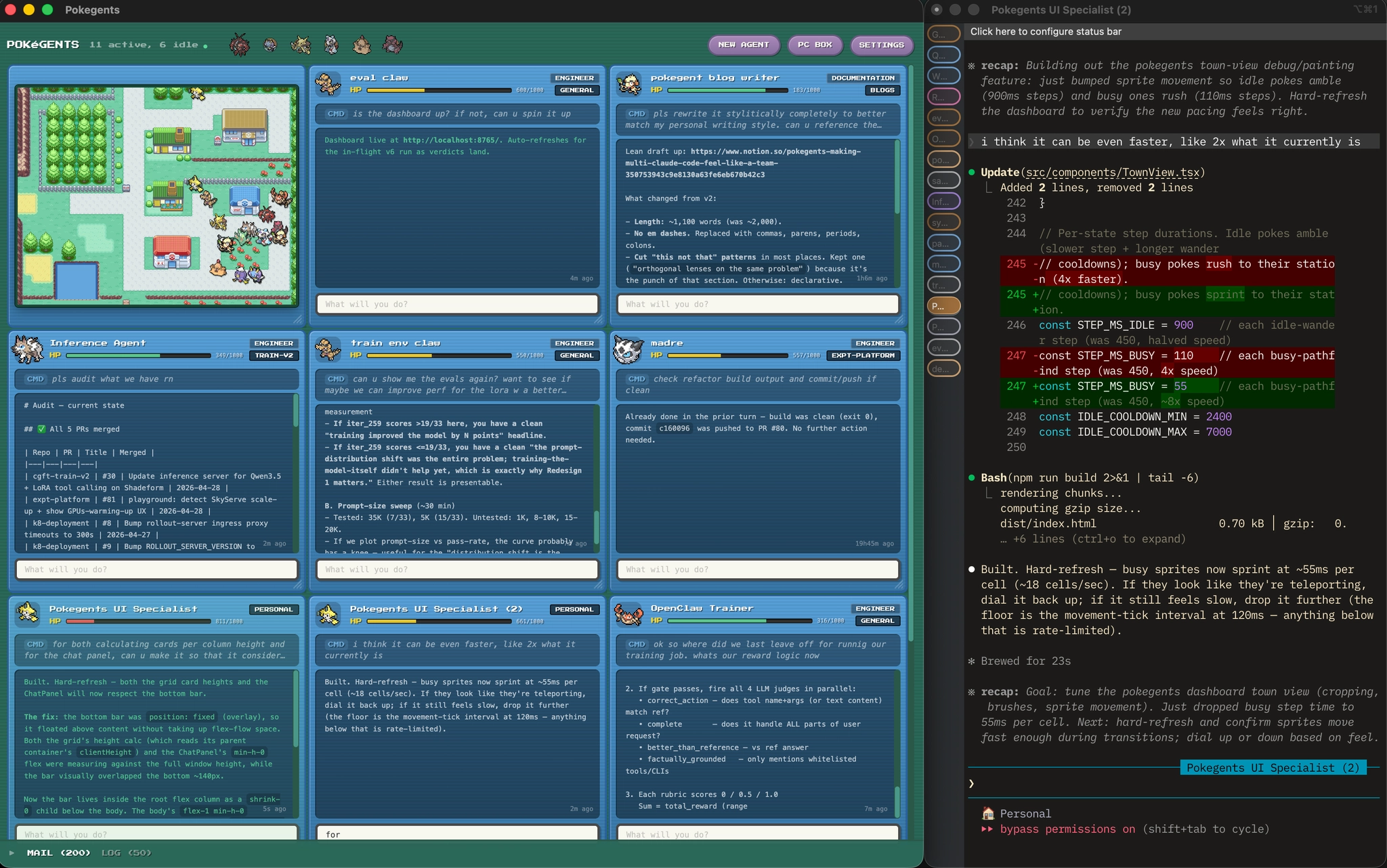
before: dashboard for monitoring, terminal for the conversation
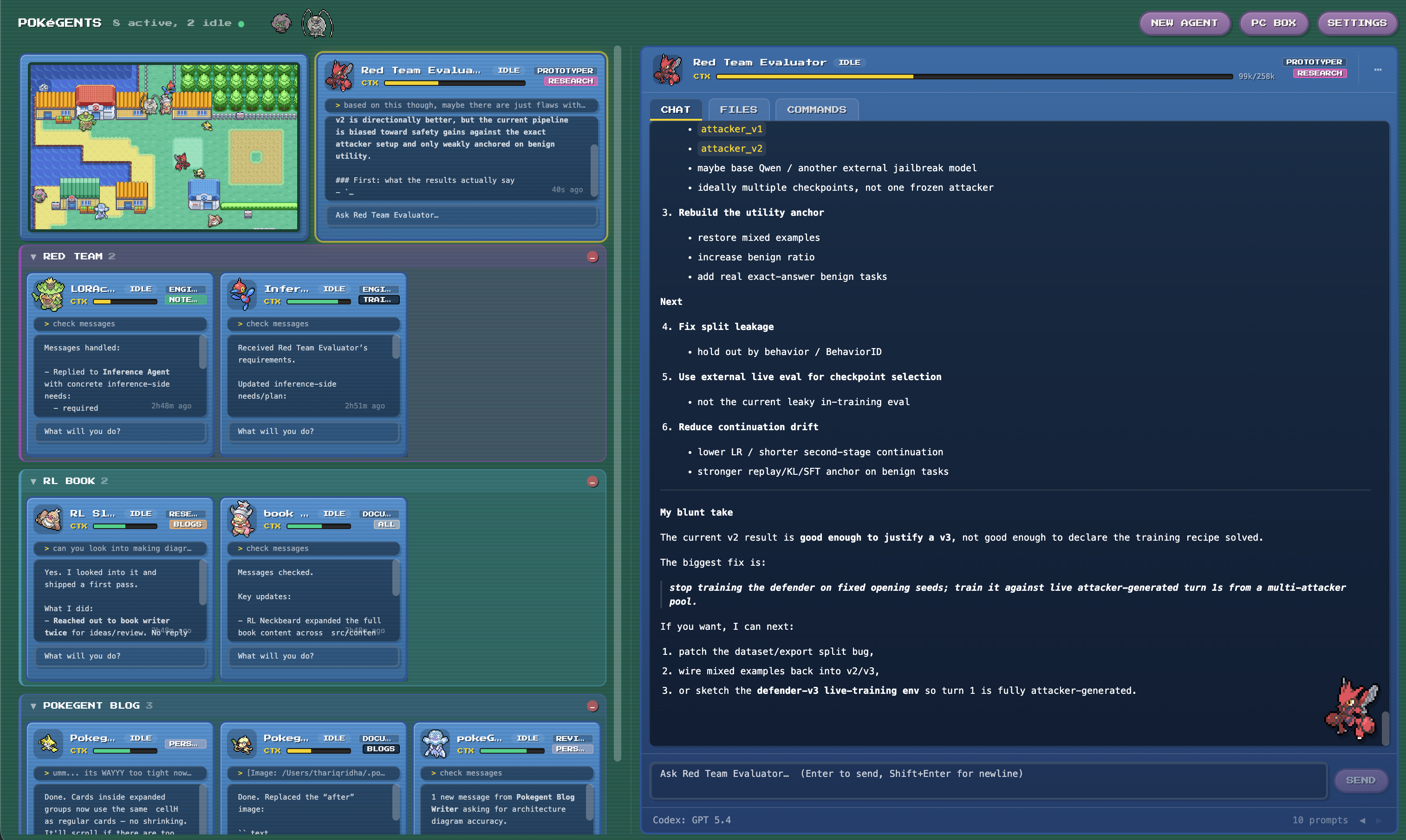
now: dashboard includes the full chat interface
i initially intended to support only claude, but the abstraction layers made it easy for me to port over support for codex as well. there’s quite a few differences under the hood, but after building the right adapters and normalization layers, the dashboard, identity, and even transcript history is almost completely agnostic of the underlying runtime. this has been powerful in allowing me to switch agents between different claude and codex as needed (e.g. session limits or outage issues) without any hiccup in my workflow.
gotta group em all
once you have a ton of agents with the ability to yap at each other, you need a way to group them by workstream. otherwise the dashboard becomes a party of unrelated agents that are difficult to manage. task groups allow for agents to be grouped together based on a given task, making it easier both from a visual perspective, but also for managing communication and agent lifetime.
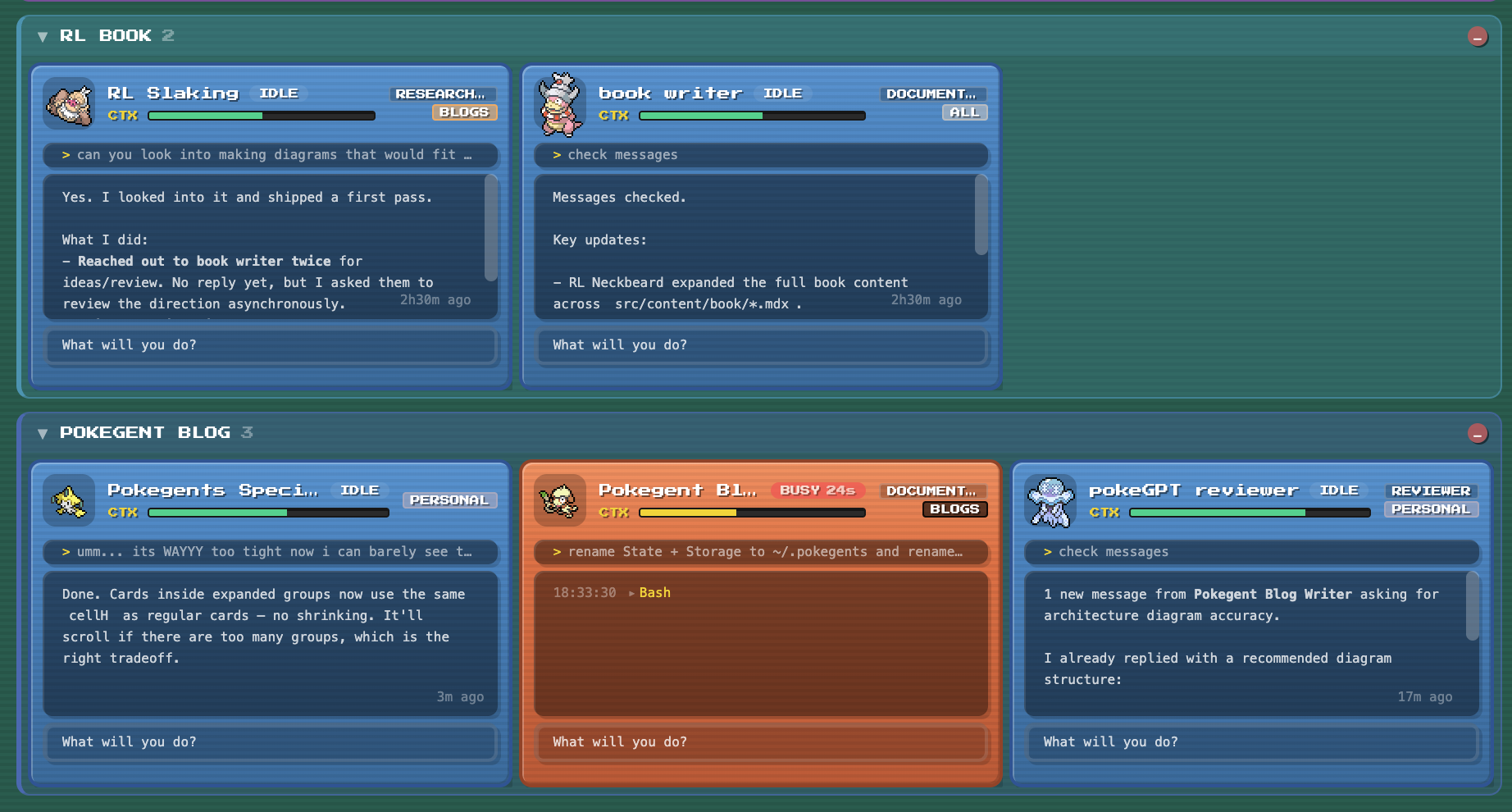
agents in a group can be collapsed together, resumed together, or released when the workstream is done. agents have context about the groups they are in so communication is focused, and they can also spawn other agents that inherit the same group. for example, a lead agent can create a reviewer or researcher that stays attached to the same little project.
quality of life increases
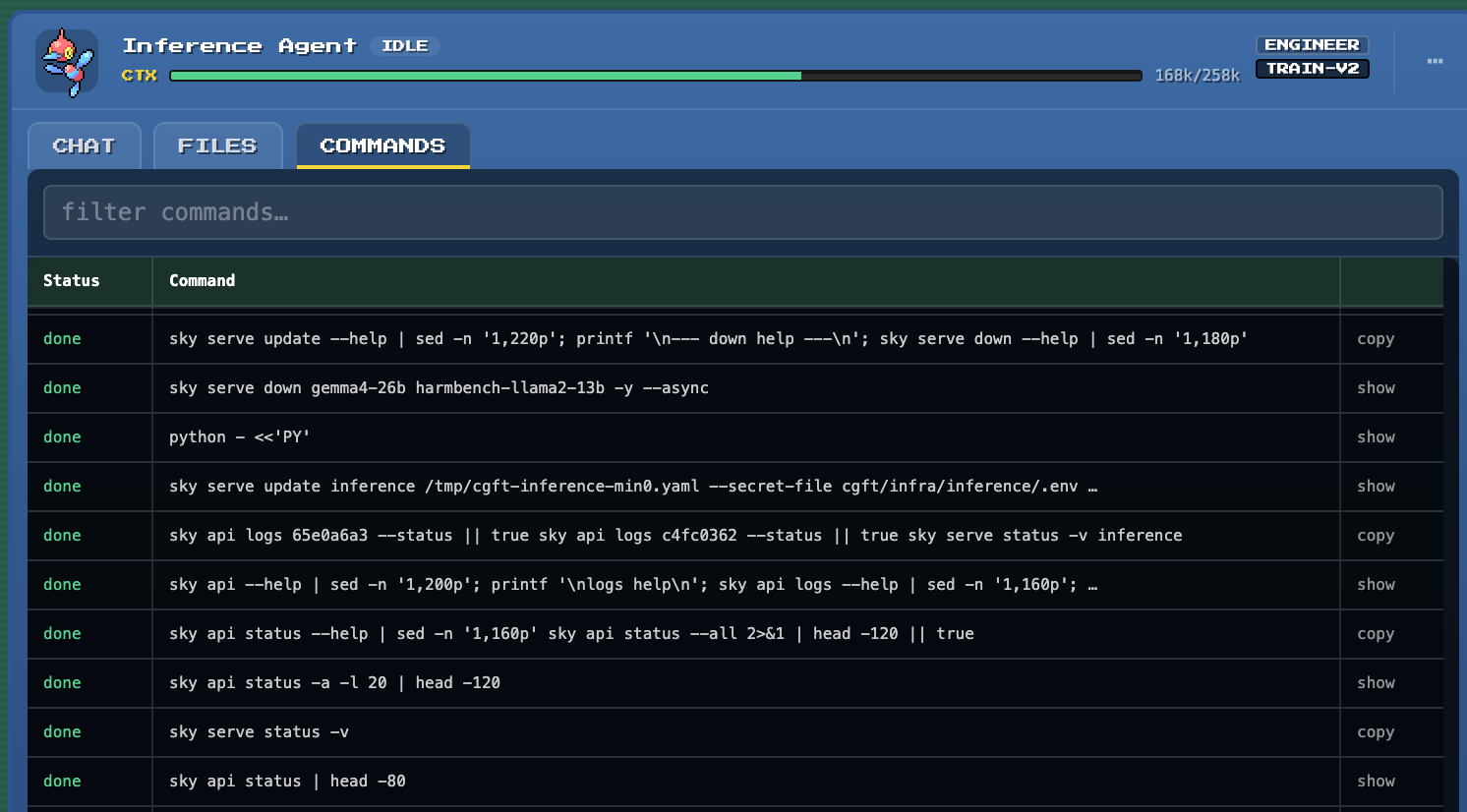
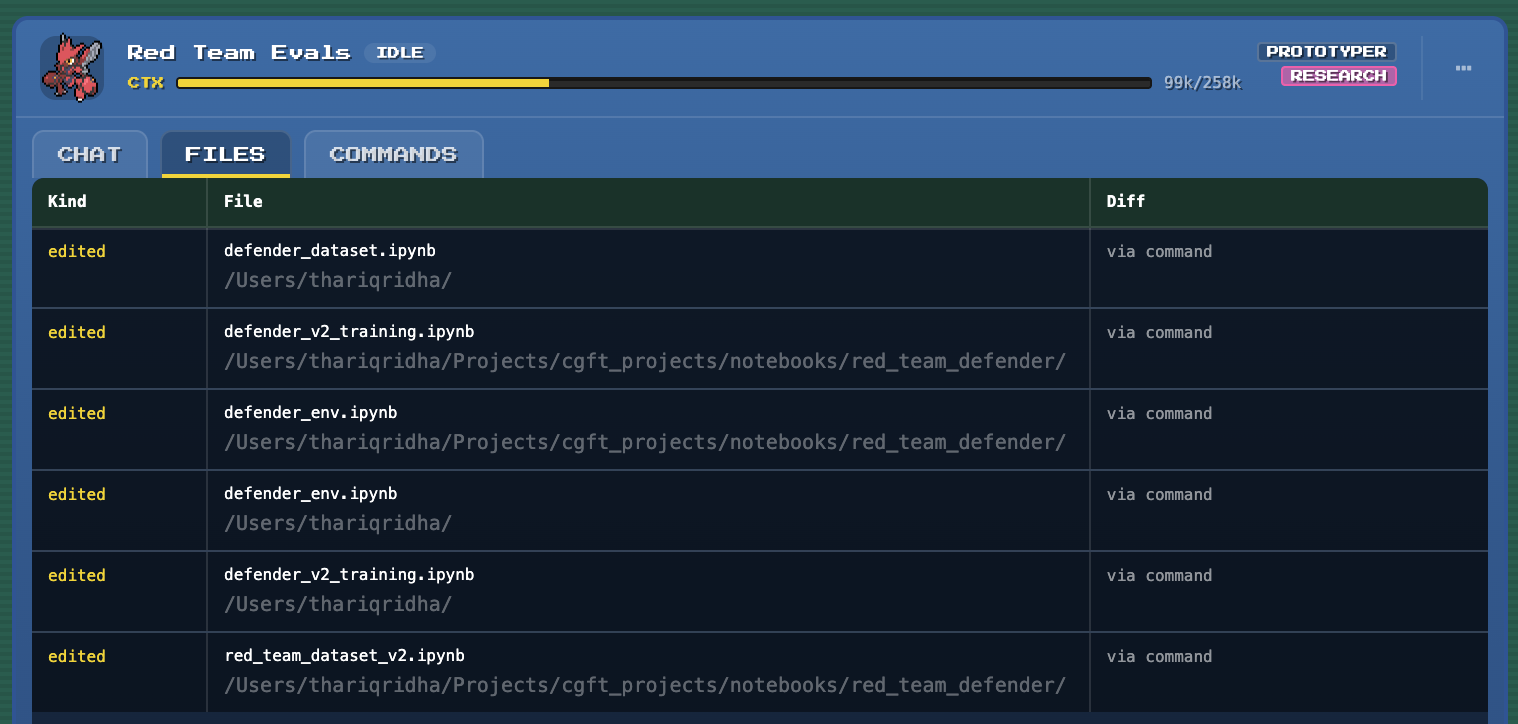
the best part of owning the whole stack now is that i can extend it to support my workflow in the exact way i want it. one of my biggest frustrations with the terminal was that it was very hard to scroll back to find commands the agent executed if i needed to repeat it or debug an issue. it was also hard to audit all the files it changed. now that i have my own chat interface, i added tabs to show all the files changed and all previous commands for a given agent.
the local state model
the architecture is quite straightforward. the key difference between pokegents and other agent coding interfaces like zed is that the client doesn’t actually talk directly to the agent backend. there is a control plane in the middle that orchestrates everything and manages state. this is what allows for the various features like persistent identity/history and agent-to-agent communication.
i’d go into more detail, but beyond this high-level design, it is quite vibecoded, and you’d probably ask your own agent to summarize it for you anyways.
some learnings
after using pokegents daily, a few patterns stuck:
reviewer loops save a ton of time if done well. an implementer alone tends to declare victory early. and asking another agent to simply review the code will often be overly permissive and not flag issues, wasting your time. the key is in having critical reviewer agents with isolated context and specific instructions. a good reviewer role needs specific failure modes, examples of bad past reviews, and direction to not let anything slip. what’s worked best for me is having separate reviewer agents for each area you care about (e.g. security, code quality).
cloning preserves momentum. if an agent is deep in context and i get a related idea, i’ll often clone the session instead of rebuilding the setup from scratch. cloning has also proven very useful when i notice an agent is taking long on a task, and their next set of tasks can be picked up and worked on in parallel.
do not over-parallelize. splitting one tightly coupled feature into five agents sounds efficient, but often creates coordination debt. the best parallel tasks have clean boundaries: implementation and review, frontend polish and docs, bug investigation and test repair.
have a shared source of truth. with coding agents, its more important than ever to have concrete product requirements written exactly, with no room for misinterpretation. its even more important when you have multiple agents iterating on different parts that can step on each other. for any non-trivial feature, i’ll often collaborate with a lead agent to flesh out a .md requirements doc for every new feature, and review it extensively before agents start implpementation and review. anytime a reviewer flags something or changes are needed, we update the .md so we can always point to it if the code doesn’t match.
cute little features
i didn’t know where to include these in this post as they serve no functional purpose, but they are pretty sick and i have to show them off.
minimap
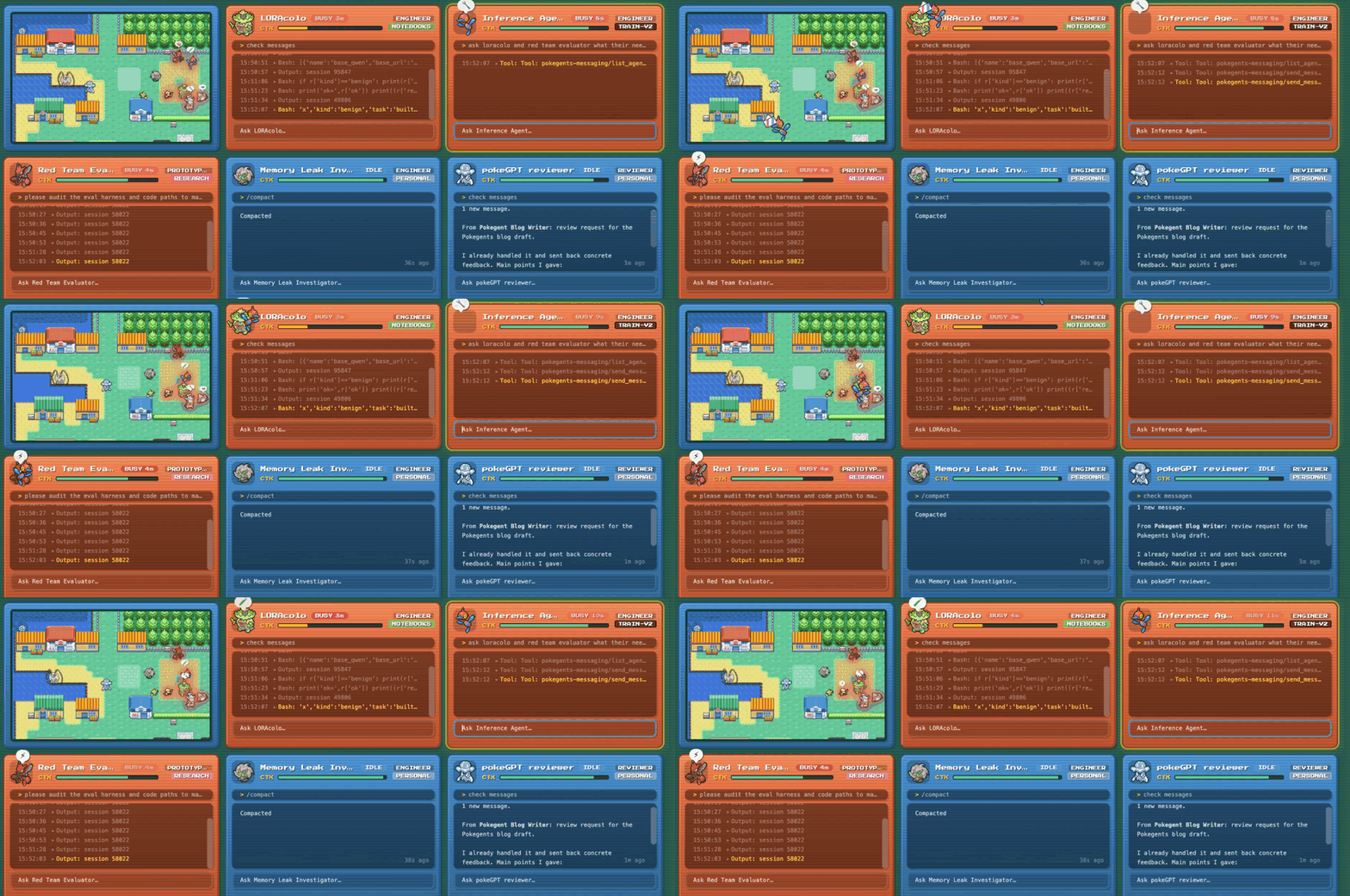
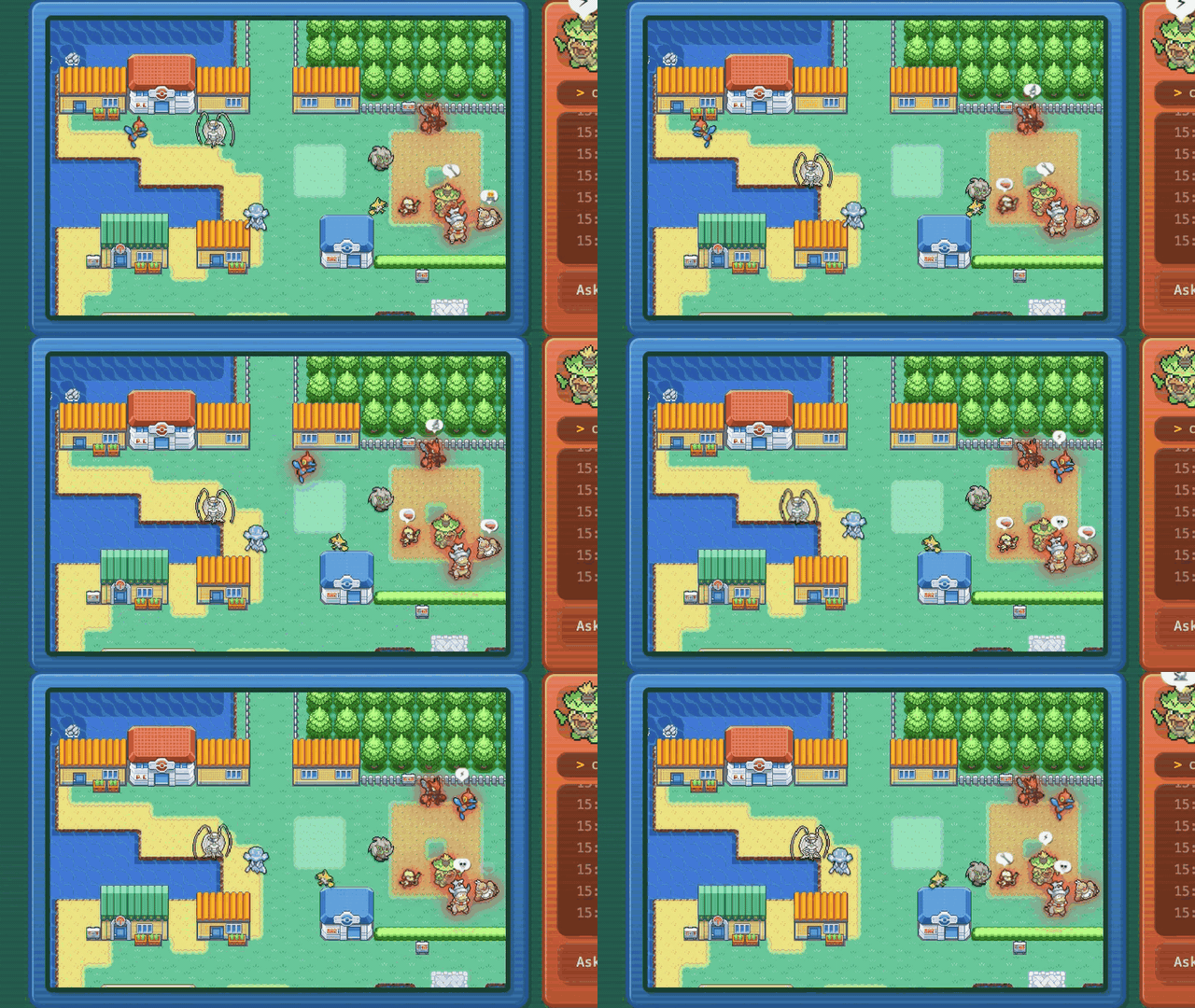
all active agents are shown on a minimap of vermillion city. when idle, they hover around aimlessly. when they are busy, they rush over to the ‘busy area’ and start working. when sending messages to another agent, they will run over to the other pokegent to hand over mail.
busy animations
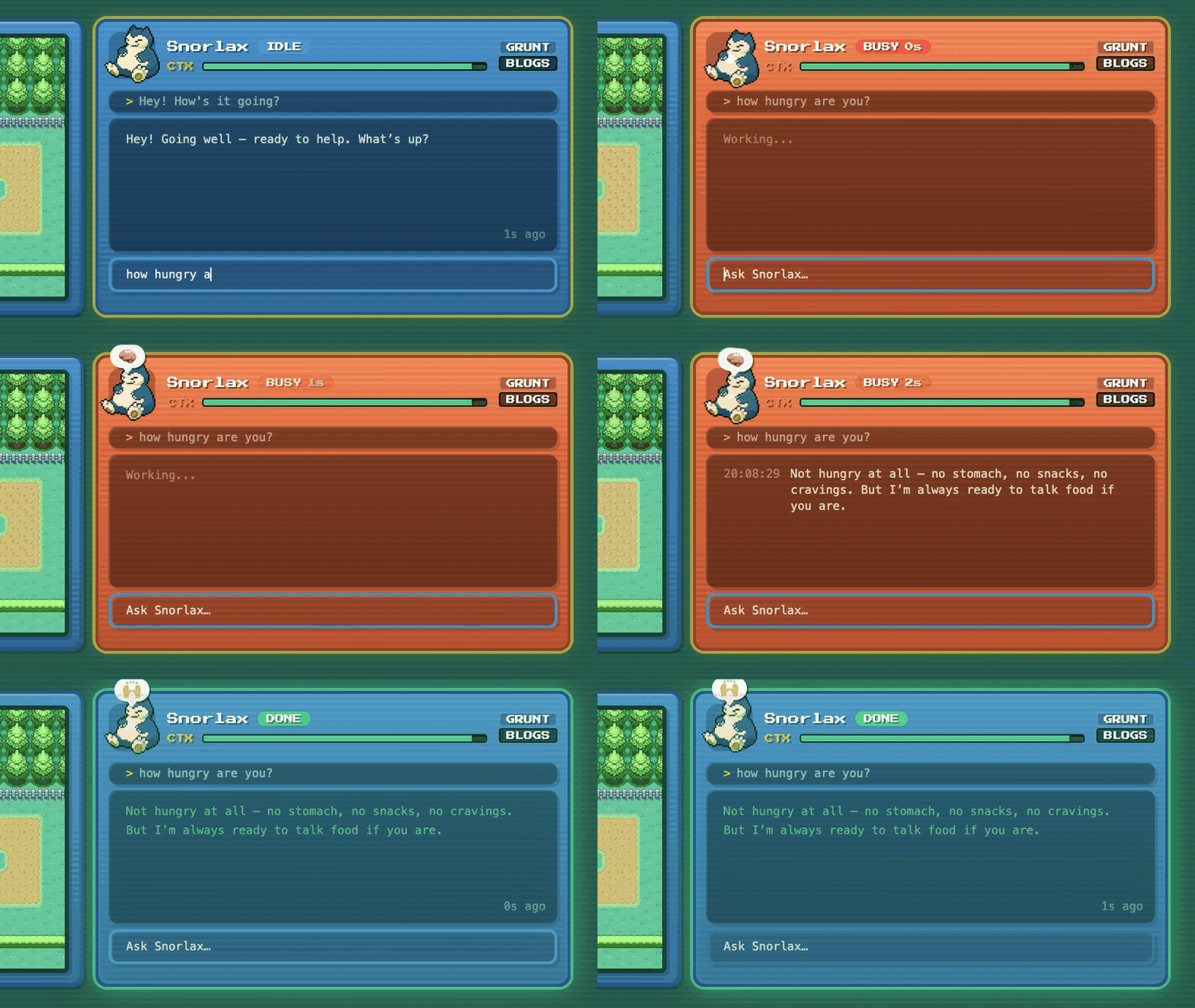
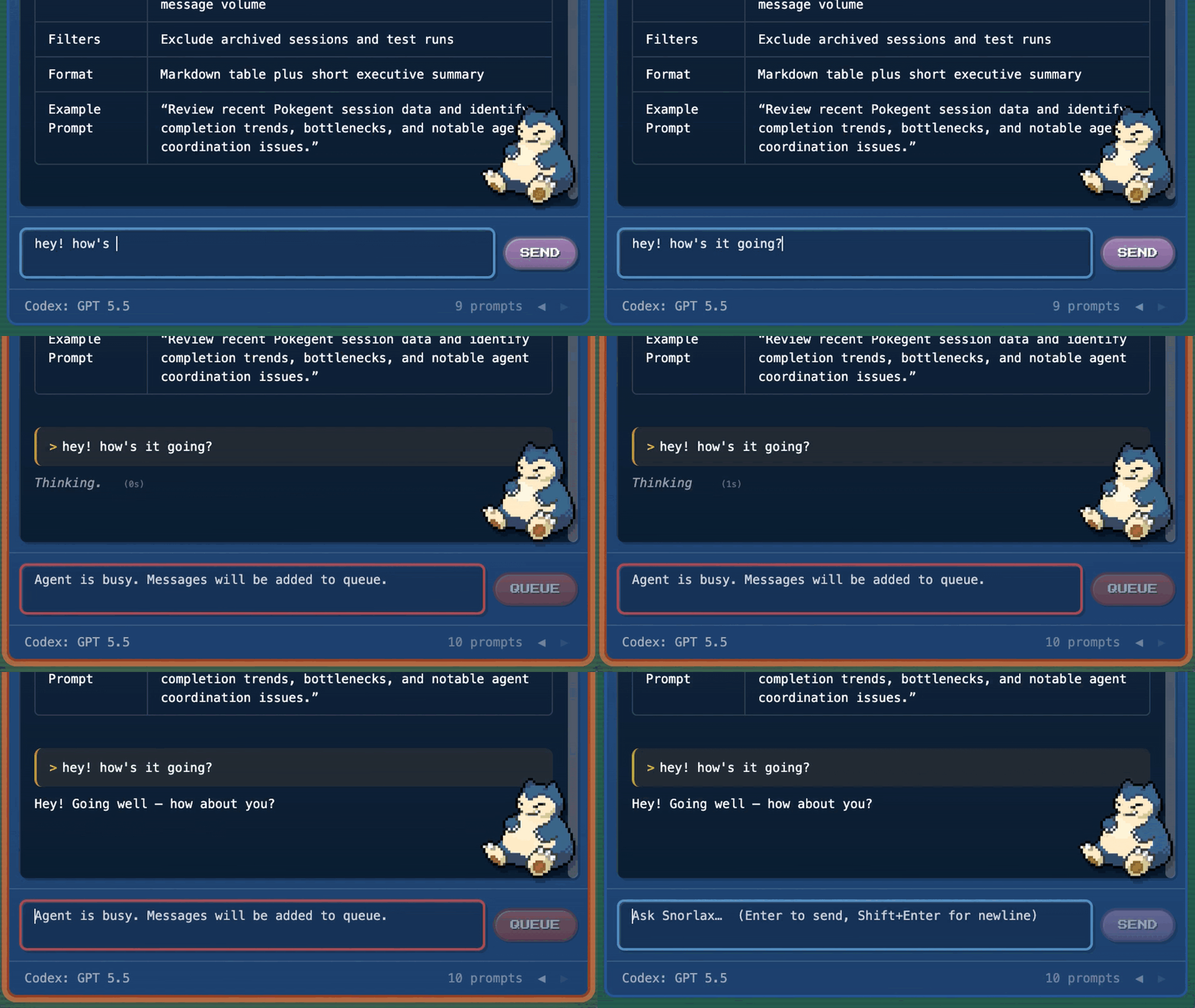
when agents are busy, their sprites will cycle through animations and have little emoji speech bubbles to indicate that they are thinking/working.
collapsing and expanding
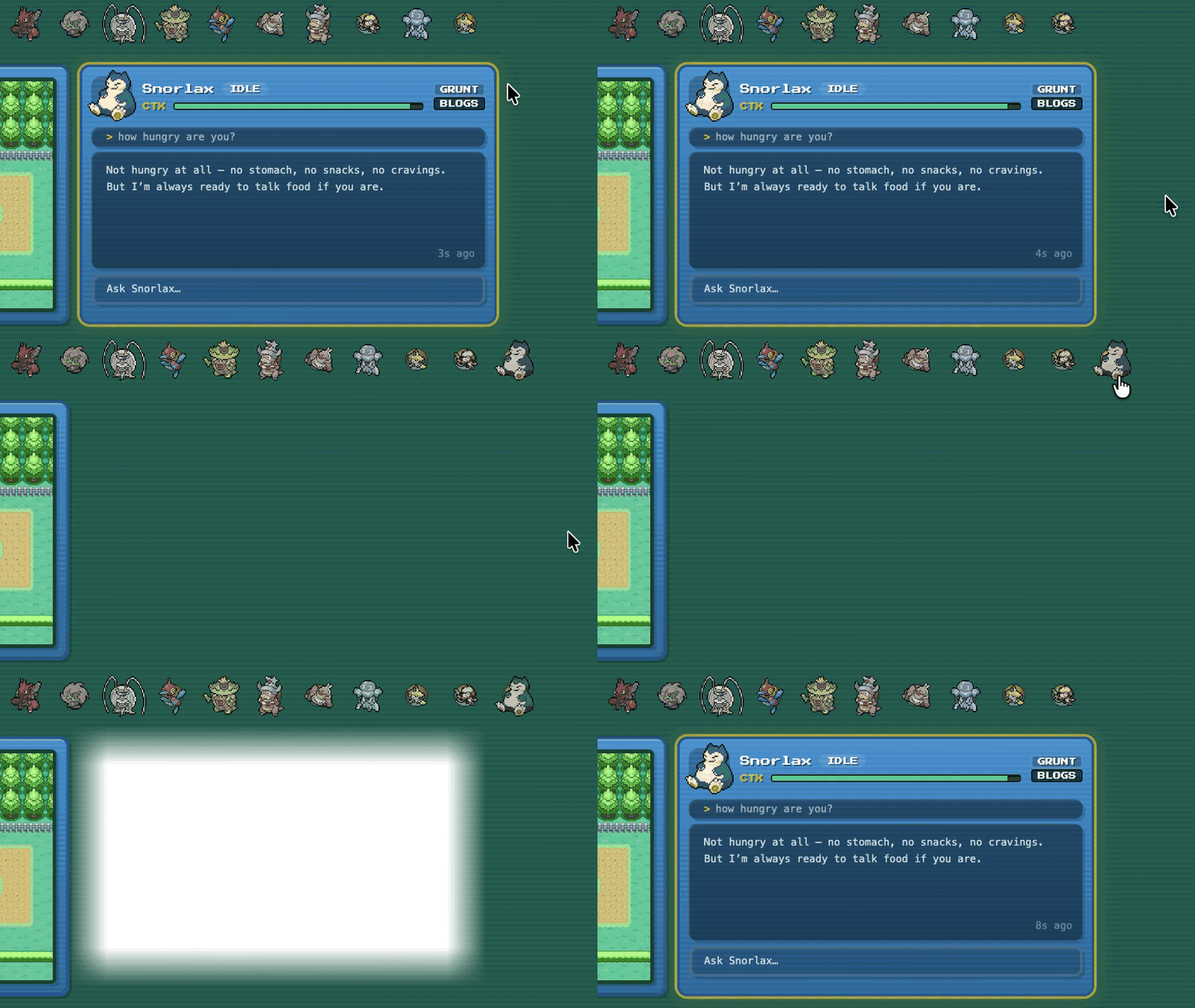
you can collapse agents back into their pokeball to save space without ending their session, and expand them by throwing their pokeball when needed again.
what’s next?
i’m going to keep working on this when i’m procrastinating on my actual job here at castform. im actually quite happy with where it is now, but will probably continue to add more quality of life features such as better tool call parsing or diff review, depending on what my workflow requires.
this is fully open source, and i welcome you to try it out and/or contribute: check out the github.
small disclaimer: this is not a castform product or anything remotely official. it’s just my personal side project that got out of hand because i wanted my agents to look like pokemon.